
How To Use Subflows On Fault Paths


What Are Subflows?
In Salesforce, subflows are invoked from within parent flows. They enable modularization and reusability of flow logic, which can break down processes into smaller, manageable parts for use in other flows.

What Are Fault Paths?
In Salesforce, fault paths handle errors and exceptions during flow execution. They ensure that a flow can gracefully manage errors and take appropriate action when something goes wrong. The flow generates a fault message, sometimes called an error message, to help the user debug an issue.
Subflows for Efficient Automation
Subflows are like functions: programmers like them as they are reusable and are great for DRY (Don’t Repeat Yourself). While building a massively big flow may feel satisfying, it ultimately contributes to technical debt. You could likely break down many of those flows.
Use Case
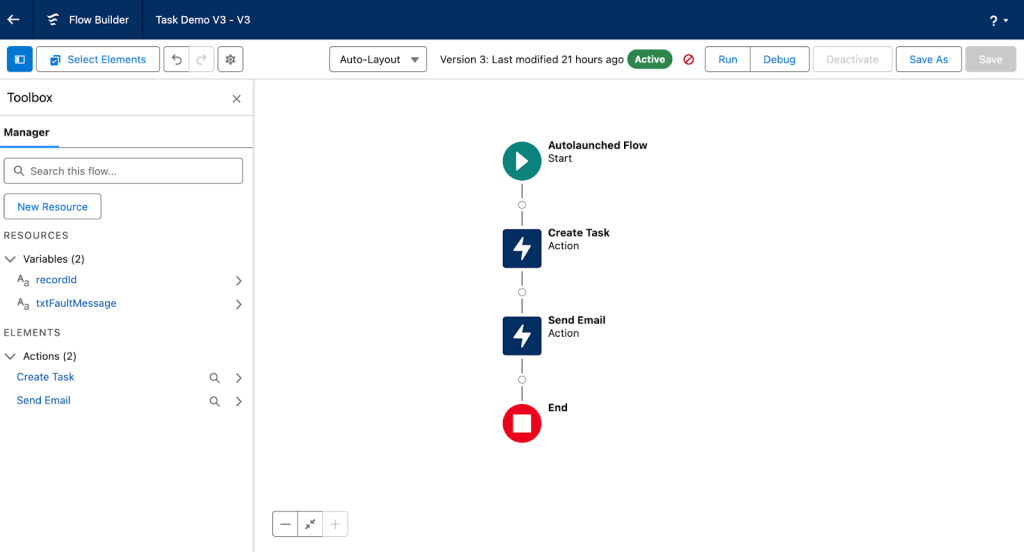
I used a subflow on a fault path connected to an Opportunity owner update in a record-triggered flow. This subflow creates a task and sends an email to admins, and it can be used in multiple flows and on multiple fault paths (Don’t Repeat Yourself). The recordId and the fault message are passed to the subflow via text input variables.

The above image is of a ‘recordId’ and a fault message being passed into a flow from the triggering flow (note the varFaultMessage). The image below illustrates the use of ‘recordId’ and fault messages. These create a task and send an email for the error related to the specific recordId.
Below is the result of the execution for the triggering flow and the subflow.

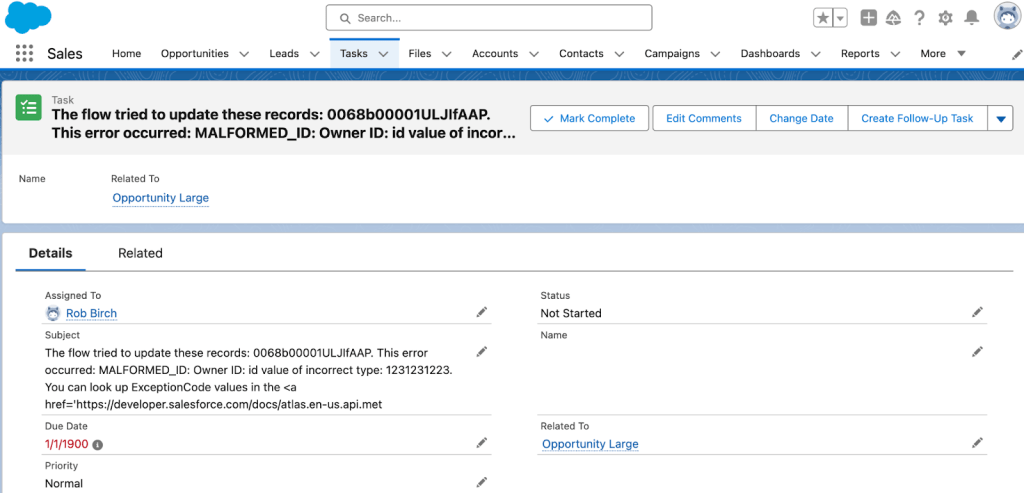
Making a reusable part that can send an email, and create a task driven by input parameters will be valuable for your future flows.
Check out the code below for an example of a function in JavaScript with a ‘function task’. The ‘function task’ is similar to a subflow in Salesforce.
function task(){
	//subflow
	return 'Task Created!';
}

function updateOpportunity(owner) {
	//main flow
	let opportunity = {
			owner: owner,
			fault: this.task()
	};
	return opportunity;
}
Conclusion
If your Salesforce instance has many repetitive flows, it may be time to use subflows. This can help you save time by not repeating yourself. Remember DRY (Don’t Repeat Yourself)!
Explore related content:
Create and Update Element Considerations
Exploring Subflows: When and How to Use Them
15 Effective Salesforce Flow Debug Strategies


One Comment