
Spring ’26 Release Notes: Highlights for Admins and Developers


It’s cold outside, but Salesforce is already warming up for Spring. The Spring ’26 Release Notes are officially live. With the details now in our hands, let’s highlight the most important changes that impact real Salesforce admins. It is not a complete list, so be sure to review the full Salesforce release notes for additional details.
Security, Trust, and Platform Governance
Secure Integrations by Defaulting to External Client Apps
To improve security posture, the creation of new Connected Apps is now disabled by default for all orgs. Salesforce recommends using External Client Apps for new integrations, which offer better security and packaging. While existing connected apps continue to function, you must contact Salesforce support if you have a specific need to create new ones. This change encourages the migration to the more secure framework.
Detect Malicious Uploads with File Malware Scanning
A new Beta feature allows you to protect your org by scanning uploaded files for malware. If a user attempts to upload a malicious file, the process is blocked. If a file is uploaded via API, it is scanned asynchronously and flagged in a Malicious Files list. Downloads of existing files identified as malicious are also blocked to prevent spread.
Monitor Org Health and Security with Salesforce My Trust Center
The former “Personalized Trust” dashboard has been renamed and enhanced as Salesforce My Trust Center (Beta). Accessible at my.trust.salesforce.com, this portal gives you a consolidated view of your org’s health, incident history (up to one year), and upcoming maintenance. It now allows you to subscribe to notifications for specific events and view tenant details like org location and My Domain information.
Grant File Deletion Rights Without “Modify All Data”
You can now allow users to delete files they do not own without granting them the broad “Modify All Data” permission. The new Delete Salesforce Files permission allows a user to delete any file they have access to view, offering a more granular way to manage content cleanup and file governance.

Expand Auditing with Higher Field History Limits and Explorer
For organizations using Salesforce Shield or Field Audit Trail, the capacity for tracking field history has increased significantly. You can now track up to 200 fields per object (up from 60), allowing for broader auditing of critical data changes. Additionally, the new Field History Explorer allows you to download metadata and revert changes to tracked fields directly.
User Field History Tracking (Beta)
Salesforce now offers User Field History Tracking (Beta), giving admins the ability to track and audit changes made to user records. Once enabled from User Management Settings, updates to user fields can be viewed directly from the user’s access summary page, making it easier to monitor account changes and support security investigations.
Ensure Compliance with Custom Report Disclaimers
To meet regulatory or corporate policy requirements, you can now add a Custom Disclaimer to the footer of exported reports. This text appears after the standard Salesforce disclaimer, allowing you to include specific legal or confidentiality language on all data exports.
Simplify Email Verification with Authorized Domains
The manual process of contacting Salesforce Support to disable email change verification has been retired. Instead, you can now configure Authorized Email Domains in Setup. This allows you to bypass email verification for users with email addresses belonging to trusted domains you define.
Security and Platform: Shorter Certificate Lifespans
Transport Layer Security (TLS) certificate rules are changing across the industry, and Salesforce is adopting the new standards. New certificates will have shorter maximum lifespans beginning in 2026. Existing certificates retain their current expiration dates. Self-signed certificates are not affected. Salesforce also plans to stop announcing first party certificate rotations. To prepare, review where your org uses certificates and begin planning for more frequent rotations. Avoid certificate pinning, assign the Expired Certificate Notification permission to admins, and consider using the Certificate Metadata API to automate certificate updates.
Admin Productivity, Visibility, and Core UX
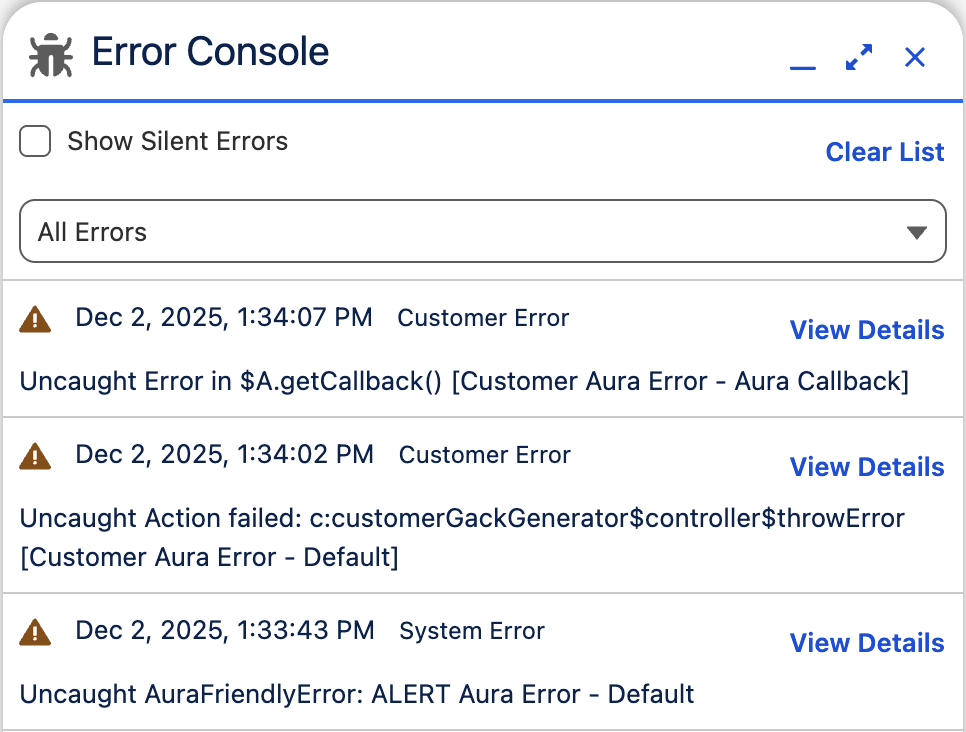
Identify and Manage Page Errors with the New Error Console
Admins now have better visibility into “silent” or non-fatal errors that users might encounter. The Error Console centralizes page-level errors in Lightning Experience, allowing you to view and manage issues that don’t necessarily crash the page but affect user experience. This helps identify recurring problems before users report broken pages.
Complete Setup Tasks and Troubleshooting with Agentforce
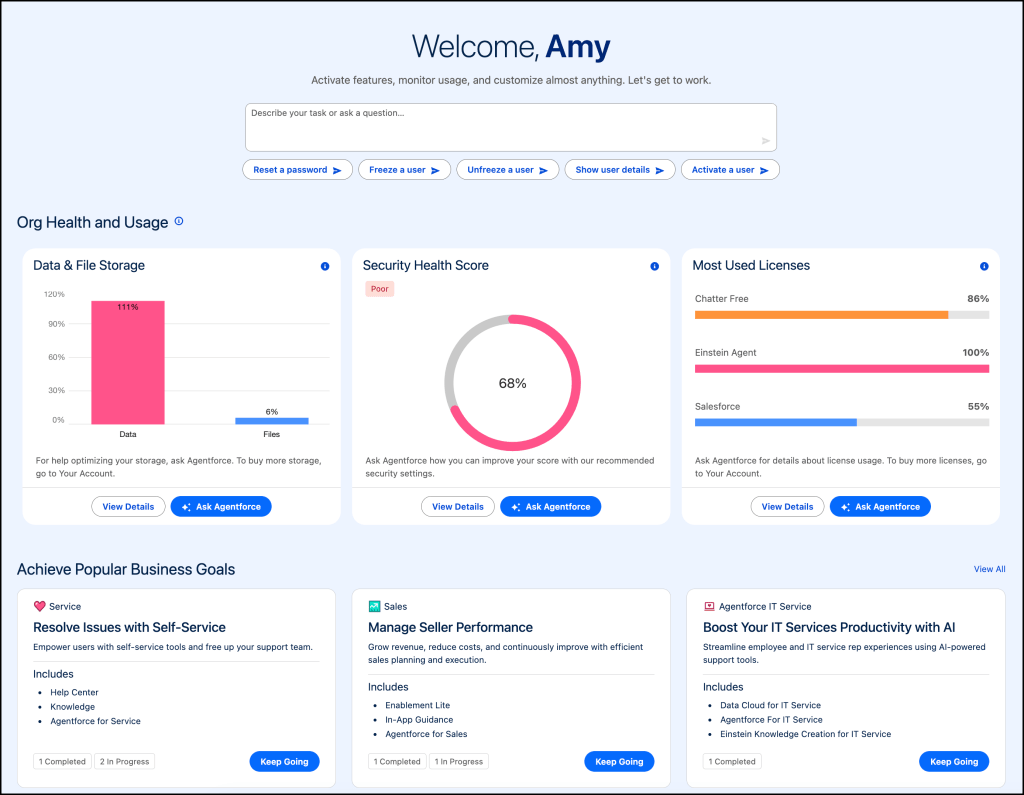
You can now streamline configuration and troubleshooting using Setup with Agentforce (Beta), an AI assistant embedded directly in the Setup area. Instead of navigating menus, you can chat with the agent to create custom objects and fields, manage permission sets, and troubleshoot errors. The agent can also guide you to specific setup pages or provide summaries of record details, acting as a “human in the loop” where it proposes changes (like a data model) that you must confirm before creation.
Preserve Report Settings in Dashboards and Share Folders Precisely
Reporting gets usability upgrades with two key features:
Retain Report Settings: When adding a report table to a dashboard, you can choose to inherit the source report’s settings (such as columns and sorting), saving manual reconfiguration time.
Username Search for Sharing: When sharing report or dashboard folders, you can now search by precise username rather than just full name, preventing accidental sharing with users who have identical names.
Enforce Edit Limits and Sort Null Values in List Views
List views have been updated to improve performance and data logic:
Edit Limits: List views rendered with Lightning Web Components (LWC) now enforce a 200-record limit before you start editing, preventing errors that occur when trying to save too many records at once.
Sorting Nulls: When sorting a list view, blank or null values are now treated as the “highest” value. In a descending sort, blanks will appear at the bottom, and in an ascending sort, they appear at the top.
Salesforce Go: Smarter Filters and Customizable Home
Salesforce Go now includes upgrades that help admins and developers work more efficiently. You can rearrange or remove home page sections, filter features by cloud, and refine results further with sub-vertical filters. Improved search makes it easier to distinguish between similarly named features and feature sets. Access Salesforce Go from the gear menu. Permissions required include View Setup and Configuration and Customize Application.

Accessibility and Experience Standards
WCAG 2.2 Resize and Reflow Improvements
Salesforce is introducing several release updates that improve the user experience for anyone who views Salesforce at 200 percent zoom or higher. Page headers now scroll instead of blocking content. Modal windows remain fully visible without horizontal scrolling. Cards, docked containers, menu lists, and panels display correctly at high magnification and wrap header text instead of clipping it. Date pickers, popovers, bottom utility bars, and record headers also display correctly and remain usable. These updates can be enabled and tested in Setup under Release Updates. Some are enforced in Summer ’26 and others in Winter ’27.
Agentforce, AI, and the Future Admin Stack
Migration to External Client Apps
Starting in Spring ’26, Salesforce will no longer allow the creation of new connected apps. Instead, Salesforce introduces External Client Apps, which provide a more secure and modern framework. Existing connected apps will continue to function. Connected apps used for Slack in the legacy Agentforce Builder are not affected. You can migrate an existing connected app in App Manager by selecting Migrate to External Client App. After migration, the connected app becomes read-only.
New Standard Agent Topics and Actions
Salesforce is releasing many new topics for agents, especially for industry automation. Examples include ESG Data Collection, Wealth Advisor meeting preparation and follow up, gift commitment management, volunteer shift matching, account performance, account compliance, last visit summary, and product upsell. These topics provide prebuilt logic and actions that expand what Agentforce can automate without custom development.
Platform Architecture and Ecosystem Shifts
Hyperforce Updates
Hyperforce is now available in 17 countries. The Hyperforce Assistant process has been updated to help identify hard coded references. Hyperforce public IP ranges now include inbound addresses along with outbound. Customers who use IP allowlists should prepare to include IPv6 addresses.
Sales and Email Integrations
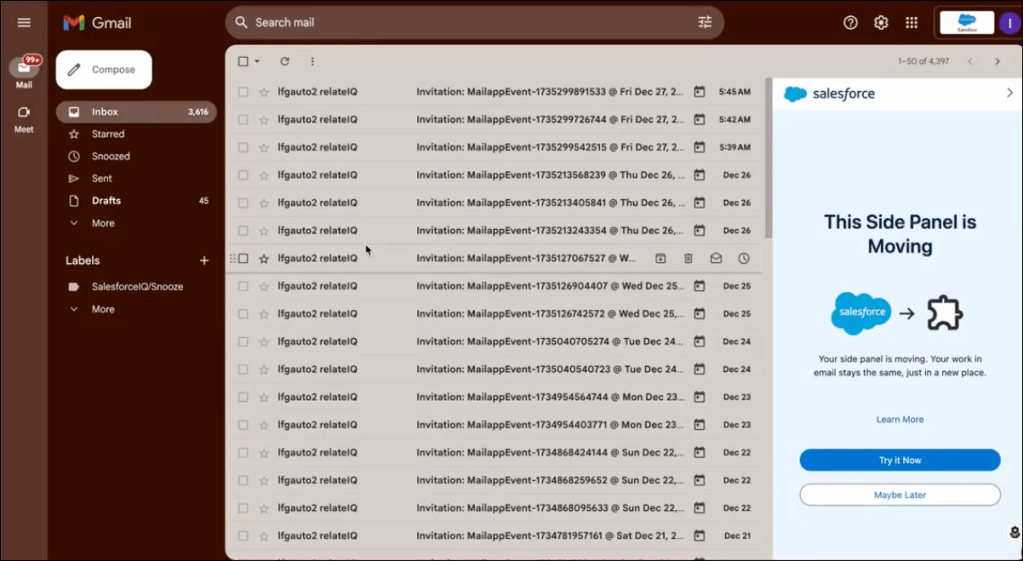
Sales Cloud is now referred to as Agentforce Sales. Updates include AI agents for sales workflows, simplified setup pathways, expanded Einstein Conversation Insights with generative summaries and vendor transcript support, and improvements across sales programs and performance management. Email and calendar updates focus on security and modern integrations. Authorized email domains are becoming the standard. Event and email syncing now include more detailed reporting. Microsoft Exchange Web Services will be retired by Microsoft, which affects Lightning Sync. Salesforce for Outlook is scheduled for retirement in December 2027. Salesforce recommends transitioning to Outlook Integration or Gmail Integration. Gmail Integration is now available directly within Sales Cloud Everywhere.
Salesforce Flow and Automation
Submit Approvals Directly from Record Pages
You can now place a Request Approval component directly on Lightning record pages. This component allows users to submit a record for approval, select the first approver, and add submission comments without requiring a custom button or URL hack. Note: This component supports Flow-based approval processes.
Salesforce Flow: Updates That Matter Most in Spring ’26
Salesforce Flow receives major improvements in Flow Builder, Flow Approvals, Flow Orchestration, and automation integrations. Below are some highlights, but click HERE for a more in-depth discovery of Flow updates with the latest release.
AI Support in Flow Builder
Agentforce can now generate more accurate draft flows based on your written requirements. It can also update existing record triggered and scheduled triggered flows using natural language prompts. You can evolve flows step by step, summarize them, or modify specific logic. None of these capabilities consume generative AI credits.
Flow Builder Enhancements
Flow Builder now supports collapsing and expanding branching elements to help you navigate complex flows. The canvas remembers your personal layout preferences locally. Mouse scrolling is smoother and more intuitive. Decision Logic labels are clearer. Subflow inputs and outputs include improved descriptions. Action inputs now display descriptions on hover.

Flow Approvals and Orchestration
You can now debug approval step screen flows directly in Flow Builder. A new Request Approval component lets submitters choose the first approver. Flow Orchestration includes easier debugging and visibility into dependencies through the Automation Lightning app.
Final Thoughts
This release is focused on tightening security by default, expanding admin visibility, and laying the groundwork for how Salesforce expects teams to work going forward. From safer integration models and deeper auditing to AI-assisted setup, accessibility standards, and major Flow improvements, this release continues to shift the platform toward stronger governance and more powerful automation.
This summary covers only the updates included in the text you provided. For full feature lists, timelines, and additional capabilities, be sure to review the official Salesforce Spring ’26 release notes.
Explore related content:
Salesforce Optimizer Is Retired: Meet Org Check
Profiles and Permissions in Salesforce: The Simple Guide for Admins
My Experience with the New Certification Exam Platform
Top Spring 26 Salesforce Flow Features
Standard or Custom Object – The Importance of the Data Model

