Solve the Flow Picklist Record Type Gap with Vibe Coding
Building a Record-Type Aware Picklist for Flow

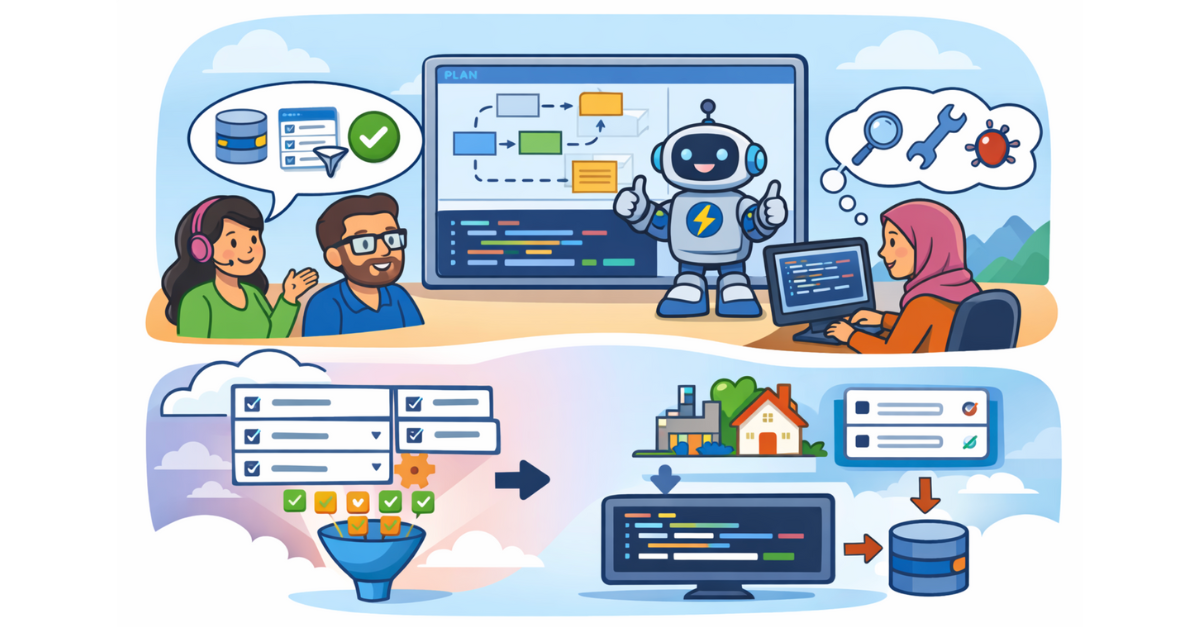
Vibe coding is quickly changing what building looks like on the Salesforce platform. Instead of starting with syntax, you start with intent. You describe what you want in plain language, review a proposed plan, then let an AI agent generate the first draft of the code.

In a recent Jacksonville Architects virtual session, Andy Engin Utkan and Sally ElGhoul (Code with Sally) used Agentforce Vibes to tackle a very specific Flow Builder gap, one that admins and low-code teams run into constantly: picklists that should respect record type values while still being configurable as required in a Screen Flow.
This write-up breaks down the problem, the approach, and the practices you can reuse in your own org.
The Flow Builder Gap: Record Types vs Required Fields
Salesforce gives you two different ways to place picklists on a Screen Flow, and each solves only half the problem. On paper, both options look capable. In practice, they force you into a tradeoff that shows up constantly in real builds. Either you respect record type logic, or you control the user experience. You rarely get both.
Dynamic Forms for Flow (Fields tab)
When you use the Fields tab and point it at a record variable, Salesforce respects record type settings automatically. Picklist values change based on the selected record type.
However, Dynamic Forms inherits required attribute from the field under the Object Manager. If the field is not required on the object, you cannot make it required in the screen. There is no override in Flow.

Standard Screen Components (Picklist component)
When you use the standard Picklist screen component, you can control whether the field is required in the UI.
But it does not automatically filter values based on record type. Users may see and select values that are not valid for the chosen record type.
The Real-World Requirement
Many flows need both components: picklist values filtered by record type AND the ability to enforce required input in the screen.
That exact conflict was demonstrated in a Lead creation flow with two record types. Dynamic Forms handled record types correctly but couldn’t enforce requiredness. Standard picklists enforced requiredness but ignored record type filtering.
This is the type of “middle gap” Flow teams encounter constantly.
Why Vibe Coding Is a Good Fit for This Problem
This scenario is ideal for vibe coding:
- The scope is clear and contained
- The solution is reusable
- The platform limitation is well understood
- The outcome is a component admins can drop into many flows
Instead of hand-coding a Lightning Web Component from scratch, Sally used Agentforce Vibes to generate the initial implementation, using natural-language prompts as the specification. The goal was to accelerate development skill, not replace it.
How to Structure a Prompt That Produces Usable Code
One of the most valuable parts of the session was how Sally broke down prompt design. Effective vibe coding looks much more like writing a mini functional spec than asking a question.
A strong Agentforce Vibes prompt includes the following elements.
Clear Intent
Be explicit about what you are creating and where it will be used.
Example: Create a Lightning Web Component designed to be used in a Screen Flow.
This impacts how the component is exposed, and how inputs and outputs are defined.
Inputs and Outputs (Your Flow Contract)
Define the data contract between Flow and the component.
In this case, inputs included:
- Object API Name
- Field API Name
- Record Type Identifier (ID or label)
- Required flag
- Optional label override
The output was: Selected picklist value returned to the Flow.
If this contract is unclear, the generated component will almost always miss the mark.
Behavioral Requirements
Describe what the component must do.
For this use case, that included:
- Resolve the correct record type
- Retrieve valid picklist values for that record type
- Render them in a picklist UI
- Enforce required validation when specified
- Return the selected value to Flow
This is where plain English matters more than technical keywords.
Constraints
Constraints prevent unnecessary complexity. Sally explicitly stated that no Apex class should be created and that the solution should rely on client-side capabilities. Without that instruction, the agent may default to generating a controller and test classes.
Deliverables
Tell the agent what artifacts you expect.
- LWC bundle
- Exposed for Screen Flow
- Current API versions
This keeps output aligned with how Salesforce assets are actually deployed.
Here is the prompt Sally used
INPUT PROPERTIES:
 The component must accept the following input properties:
objectApiName (String)  : The API name of the object that owns the picklist field.
fieldApiName (String) : The API name of the picklist field.
recordTypeIdentifier (String): An identifier used to resolve the Record Type (record type label, or record type Id). This recordTypeIdentifier will determine the valid picklist values.The value of recordTypeIdentifier will be provided by the Flow builder, not the end user.
required (Boolean) : Determines whether the picklist selection is required at runtime.
labelOverride (String, optional) : If provided, this value must be used as the field label shown in the UI. If not provided, the component should fall back to the field’s default label.
BEHAVIOR
Resolve the Record Type Id dynamically using the provided recordTypeIdentifier and objectApiName.
Retrieve valid picklist values for the specified field and record type
Render the picklist values using Salesforce Lightning web component
The end user must NOT select or see the record type.

REQUIRED Field behaviour:
If required = true:
Enforce selection.
Show a validation error when no value is selected.
If required = false:
Allow an empty selection.
Required behavior must be controlled entirely by the Flow configuration, not by object metadata.

OUTPUT:  Output the selected picklist value back to the Flow as an @api property.
CONSTRAINTS
The component must be safe for use in Screen Flows.
It must not rely on Dynamic Forms.
It must not assume the default record type.
The record type is provided as configuration, not chosen on screen.
DELIVERABLES Provide:
LWC component called genericRecordTypePicklist
No need for any apex classes
Please note: This prompt required iteration before producing a successful result. To see the refined version and the changes made, click HERE.
Using Rule Files to Enforce Standards
A key technique Sally demonstrated was the use of Agentforce Vibes rule files.
Instead of repeating the same requirements in every prompt, you can define reusable rules such as:
- API version standards
- Formatting expectations
- Component or Apex conventions
In this session, she created a rule to force newer API versions in metadata files, avoiding the common issue where AI generates older versions by default.

She also disabled Apex rules when no Apex was required and kept LWC rules enabled. This reduces noise and improves output quality across multiple builds.
Why Plan Mode Matters Before Act Mode
Agentforce Vibes offers multiple working modes:
Plan: produce an implementation outline
Act: generate or edit files
Deep Planning: extended architectural planning
It is strongly recommended to start with Plan mode.
Plan mode lets you review:
- What files will be created
- How data will be retrieved
- How Flow inputs and outputs will be wired
- Whether the approach matches your expectation
Only after aligning on the plan should you move to Act mode. This mirrors how development actually works: design before build.
What the Component Needed to Do
From a functional perspective, the goal of the Lightning Web Component was simple, but the impact is significant. The component needed to act as a bridge between Flow and Salesforce’s record type logic, giving flow builders a way to surface the “right” picklist values while still controlling the user experience inside the screen.
The component accepts several inputs from Flow, including the object API name, field API name, and a record type identifier (either an ID or label). These inputs allow it to determine which picklist field is being rendered and which record type’s rules should apply. Additional inputs such as a required flag and an optional label override give flow designers control over how the field behaves and appears in the UI, independent of the object’s schema.
Using those inputs, the component resolves the correct record type, retrieves the valid picklist values for that specific combination, and constructs a selectable list of options. It then renders those values inside a Screen Flow in a way that feels native to the platform, displaying the appropriate label and enforcing required validation when specified.
Finally, the selected value is exposed back to Flow as an output attribute, so it can be stored, evaluated, or used downstream just like any other screen input.
This pattern removes the need for manual choice sets, hard-coded values, and duplicated configuration across flows, while preserving both data integrity and screen-level control.
AI Output Still Requires Human Review
AI-generated code is a starting point, not a finished solution.
Generated components still need:
- Code review
- Functional testing in Flow runtime
- Edge-case validation
- Refinement for org-specific standards
The value is speed and iteration, not blind deployment.
What This Means for Admins and Low-Code Teams
Vibe coding creates a new middle path between “wait for Salesforce to ship it” and “open a six-week dev project.”
Flow teams can:
- Identify platform gaps
- Describe clear functional requirements
- Use AI tools to generate first-pass solutions
- Partner with developers to review and finalize
- Ship reusable components faster
This is how low-code teams gain real leverage without becoming full-time developers.
How You Can Apply This Approach
If you want to experiment with vibe coding responsibly, start small. Pick a contained Flow limitation that you clearly understand and focus on describing it well. Treat your prompts like functional specifications rather than casual questions, and use Plan mode first so you can review the proposed approach before any code is generated. Set up rule files for the standards that matter in your org, such as API versions or naming conventions, and always review and test everything thoroughly before it goes anywhere near production.
Even if you never write Apex or Lightning Web Components yourself, the ability to clearly define a requirement is now a core skill. Vibe coding doesn’t remove the need for Salesforce expertise, but rather it amplifies it. When admins, developers, and AI tools are aligned around clear intent, the platform becomes far more flexible than its out-of-the-box feature set suggests.
For more insights from the session with Andy and Sally, and to see the prompt used, click here.
Visit Code with Sally here.
Explore related content:
What’s New With Salesforce’s Agentblazer Status in 2026
What Is Vibe Coding? And What’s New in Agentforce Vibes for Developers?