
Salesforce’s Security Overcorrection Is Locking Out the Wrong People

After years of relatively loose security policies, Salesforce has rolled out a series of blunt enforcement mechanisms that make smaller players in the Salesforce ecosystem far more difficult, and which may once and for all kill off the digital nomad and remote work Mark Benioff championed only a few years ago.

Social engineering attacks surged through 2025; attackers moved from cracking MFA to simply tricking users into approving malicious connected apps. And now, AI has entered the picture, automating target identification and generating convincing phishing content. The fix targets the actual weak point: not the platform, but users, integrations, and identity tools. The rollout lands in stages. While improved security methods absolutely help secure customer data, Salesforce has overcorrected (in light of largely customer and vendor hacks), and will soon inadvertently lock out quite a few Admins and Partners without enterprise grade SSO tools from system access, if they haven’t been already (like me).
The Problem with Salesforce’s MFA Crackdown
If you didn’t know, Salesforce recently implemented or announced broad and sweeping new security measures that categorically block or lock out users and apps. The reason is that, according to CSO Online, “Salesforce-related breaches….affected more than 700 companies and nearly 1.5 billion records…” in 2025 alone. After years of “technically” enforcing multi-factor authentication (MFA), numerous Salesforce customers and vendors alike have been breached due to their own relaxed security policies. Which leads me to the problems accompanying the rollout:
-
Salesforce makes no distinction between an attacker and a privacy-conscious user
-
There is no real admin visibility or configurability provided for most of these requirements
-
Salesforce response is a nuclear approach rather than a warning or escalation

The Three Main Security Mandates
Beyond the broader MFA and step-up rollout, three specific mandates are causing outsized pain for solo admins and smaller partner firms who don’t have a dedicated security or DevOps team to absorb the impact. Each one targets a legitimate attack vector, but the way Salesforce is enforcing them leaves little room for the legitimate use cases caught in the blast radius.
1. Banning anonymized IP user access including use of nearly any consumer VPN software.
2. Blocking Connected App self authorization
3. SOAP API login() https:// access retirement
For many solo admins, or non-GSI partners, this rollout has been a bit of a disaster so far… The first two new requirements have complicated user access and application access, and the third is requiring many integrations to rebuild their stacks.
Case in Point: My Own VPN Use
Personally, I’m fairly privacy-conscious as a consumer. I came of age in the wild west of personal data harvesting, where data brokers and ad-tech firms built businesses on selling personal information: browsing activity, app usage patterns, location data, device information, advertising segments, and audience profiles. I take pains to keep my digital identity obscured, including using a VPN to mask my IP address.
And as a Salesforce consultant, privacy consciousness has been a major way I’ve protected my clients. Using a VPN protects snooping on public wifi networks, which may expose my firm to breach incidents of customer data. If I’m traveling (which I often am), a VPN allows me to maintain IP consistency that might flag logins from unusual locations. And finally, certain customers require corporate VPN use or a dedicated IP to access systems.
When Salesforce Locks You Out for Trying to Stay Private
As of about a month ago, Salesforce completely shut down the ability to maintain privacy on my machine. I use a Mac, so I can’t even implement what’s called “Split Tunneling,” (a VPN feature that lets you route some traffic through the encrypted tunnel while sending other traffic directly over your regular internet connection) to omit certain applications or websites (like login.salesforce.com). To make matters worse, Salesforce doesn’t block access, they completely freeze user access and revoke all security tokens. If you happen to be inadvertently running a consumer VPN (Salesforce hasn’t publicly published a definitive list, but assume: NordVPN, Proton VPN, Mullvad, Surfshark, ExpressVPN, etc.), your user will be categorically and permanently shut down.
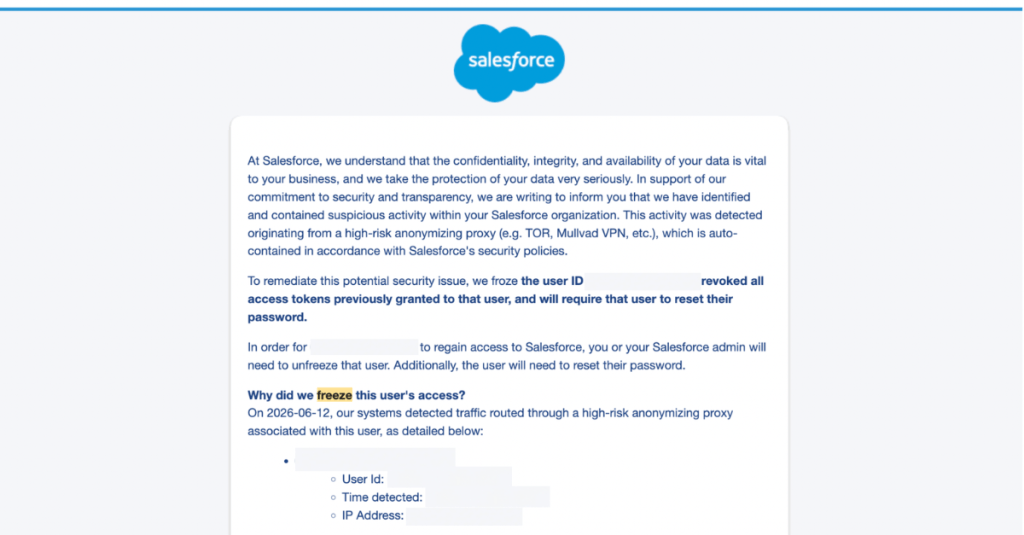
The only recourse to this ham-handed Salesforce permaban is to have your user unfrozen and reset your password by a System Admin, OR contact Salesforce Support and endure the typical two week turnaround dealing with offshore case deflection (as they call it).
How Phishing Protection Freezes User Access
While Enterprise VPNs are generally seen as fine, this disproportionately impacts solo admins, remote workers and mid-to-smaller consultancies. Solo admins will now be locked out of organizations for weeks at a time. Consultants operating in good faith are unable to deploy apps or access the Salesforce API simply because they were trying to protect customer privacy. Instead of increasing Security, the recourse seems to be to ignore the Principle of Least Privilege (Admin 101) and recklessly grant broader System Administrator access across the org so no one is permanently locked out. Or leave your computer unprotected by consumer VPNs.
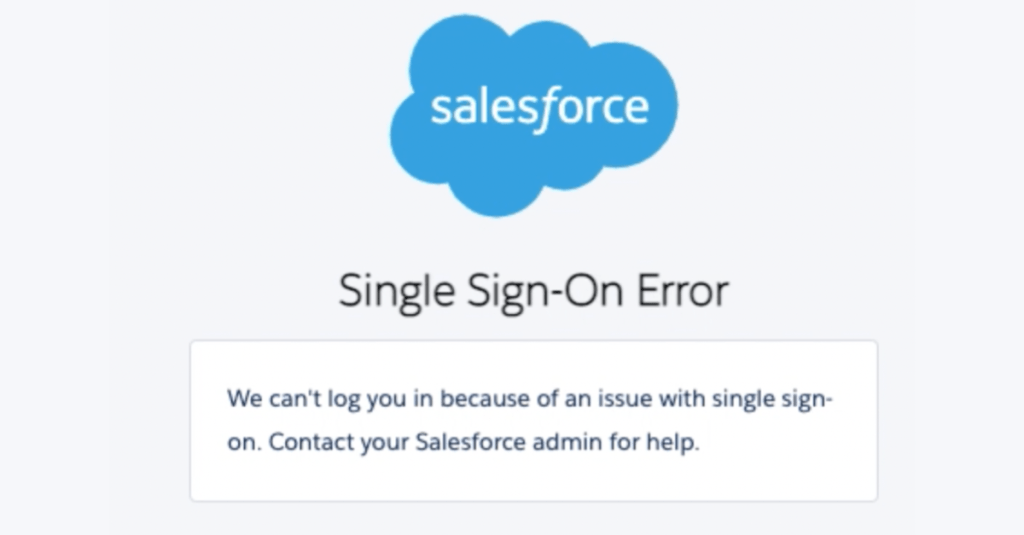
Perhaps the worst thing about this rollout is that there is no admin visibility or configurability. There’s no warning, flag, or escalation process… just a ban. There’s no setting to see what suspicious software or IP someone has used that may be “obscured,” and no ability to whitelist even dedicated IPs, just a “Salesforce Security notification” notifying you of “suspicious activity,” ending your journey with an air of nefarious finality, until another admin can step in.
Salesforce’s Security Crackdown Misses Its Target
I get that Salesforce is finally stepping up their security, and I appreciate it. But this solution does not solve for the problem. ShinyHunters are largely going after enterprise firms, which largely use enterprise VPNs in the first place. That freezes out smaller players instead. Customers should also have some level of control over their own security.
Indiscriminate overreach on security doesn’t make most of us more safe. This is especially true for those who understand and operate securely, protecting our customers in good faith. The current controls are overbroad. They disproportionately harm consultants, partners, and small customers who aren’t the source of the breach problem in the first place.
Explore related content:
Salesforce Security Enforcement: Partners Are Frustrated. Here’s Why.
What Is Phishing-Resistant MFA?


Spot on! I agree with your comments.