
The Answer for the Collection Filter & Collection Sort Challenge

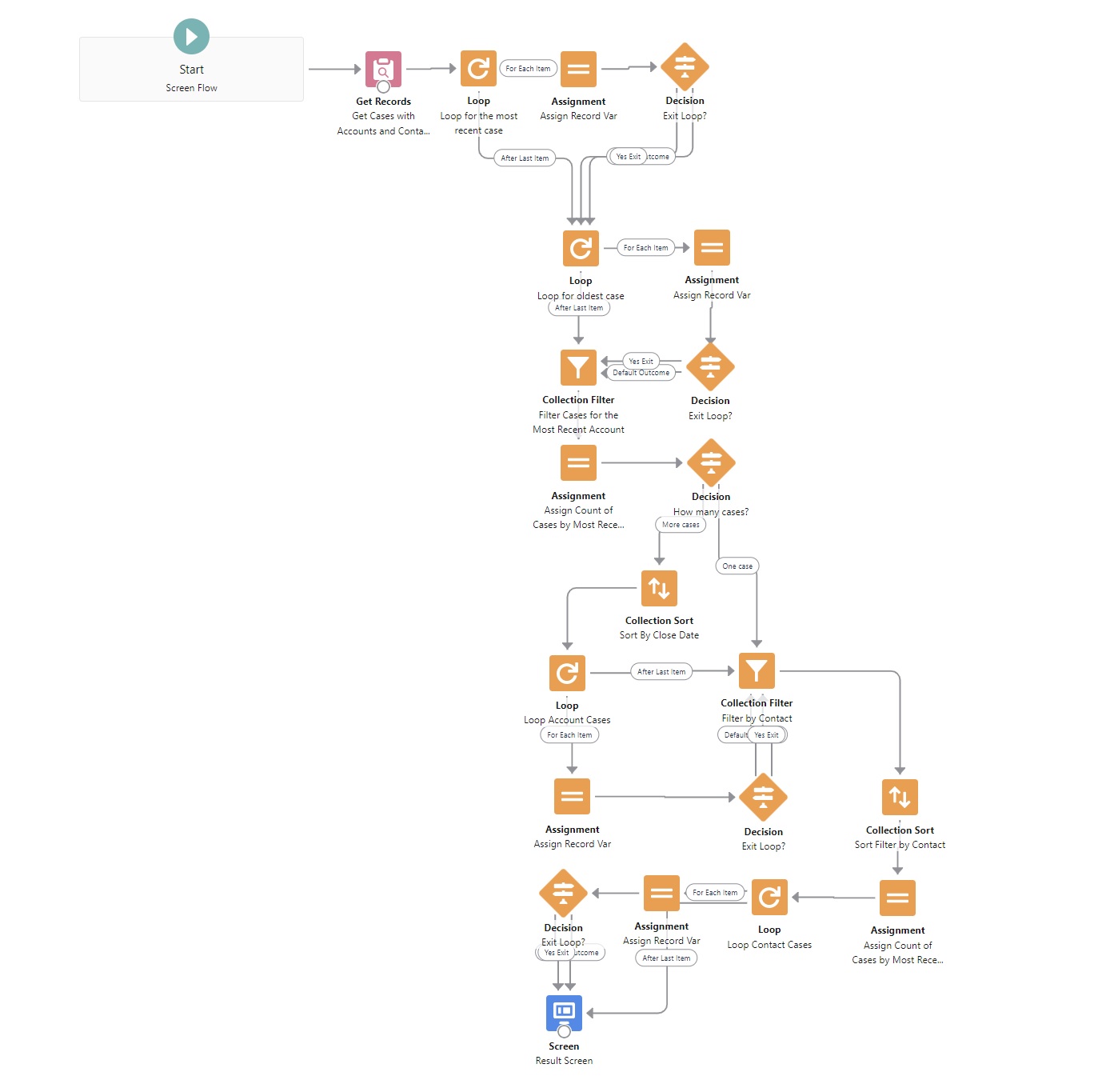
Extracting Key Case Information with Minimal Elements
Last week, I shared a personal challenge: using the fewest possible elements to search for specific records among cases in my org. If you missed it, you can check out my Collection Filter and Collection Sort post here.

I started with a Get Records element that retrieves all cases where both an account and a contact are assigned. From there, I was able to extract several key pieces of information—using just one Get Records element:
- Most Recently Modified Case
- Oldest Modified Case
- Oldest Modified Case’s Account Name
- Number of Cases for This Account
- Most Recently Closed Date for This Account
- Contact ID on This Case
- Number of Cases for This Contact
- Oldest Closed Date for This Contact on This Case
With only 21 elements, including my single Get Records call, I was able to surface all of this information.
How did I do it? Collection Filter and Collection Sort played a major role. Instead of multiple Get Records elements, I focused on working efficiently within Flow, filtering and sorting collections dynamically to extract exactly what I needed.
By taking this approach, I reduced unnecessary queries and streamlined my Flow structure—proving that you don’t always need multiple Get Records calls to retrieve targeted data.
If you’re looking to refine your Flow skills, this is a great way to challenge yourself: How much can you achieve with fewer elements?

Check out the image above for a breakdown of my setup. Click to enlarge and see the details.
Let me know if you’ve tried something similar—I’d love to hear your experience!
Enjoy.
Andy Engin Utkan
P.S. If you like this newsletter, forward it to your friends. They can sign up for it here.
Enjoy.
Explore related content:
Flow Trigger Explorer in Spring 22


2 Comments