
Streamlining Operational KPI and Trendlines for Optimization


In the fast-paced world of nonprofit organizations, optimizing operational efficiency is paramount. Recently, I had the opportunity to assist a client facing a common challenge: consolidating service records scattered across multiple Salesforce objects to generate comprehensive historical trends for their operational Key Performance Indicators (KPI). To tackle this task effectively, I devised a solution centered around leveraging the power of scheduled and autolaunched flows within Salesforce.

Understanding the Challenge
My client’s service records were stored in two distinct Salesforce objects: Support records and Service Delivery records. To derive meaningful insights and track performance over time, it was imperative to aggregate data from these disparate sources into a unified format.
Solution Overview
To address this challenge, I devised a robust solution leveraging autolaunched flows operating as sub-flows under a schedule-triggered flow. This approach allowed for seamless integration and automation of the data consolidation process.
The solution consists of three main components:
- Service Summary Record Custom object
- Autolaunched flow (subflow)
- Schedule-triggered flow
Service Summary Record Custom Object
Upon deliberation with the nonprofit customer, I planned on creating one monthly record for each client served.
This record would aggregate all the service details for the client.

See the image below for the field list of the object.

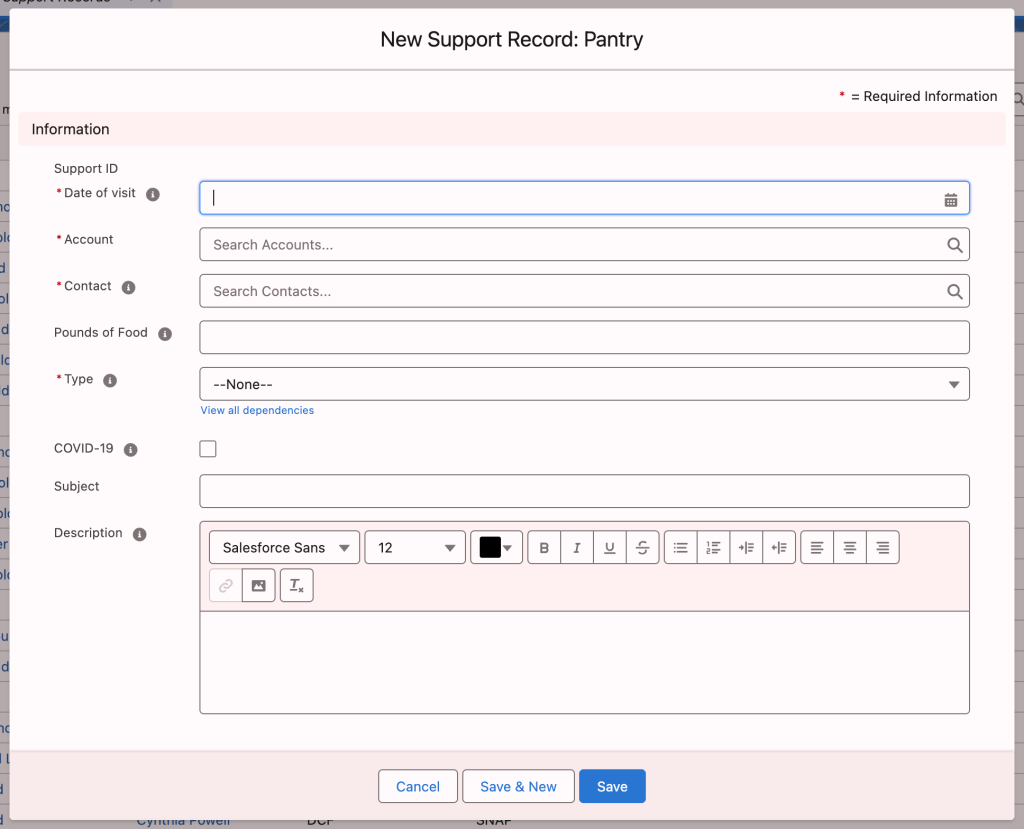
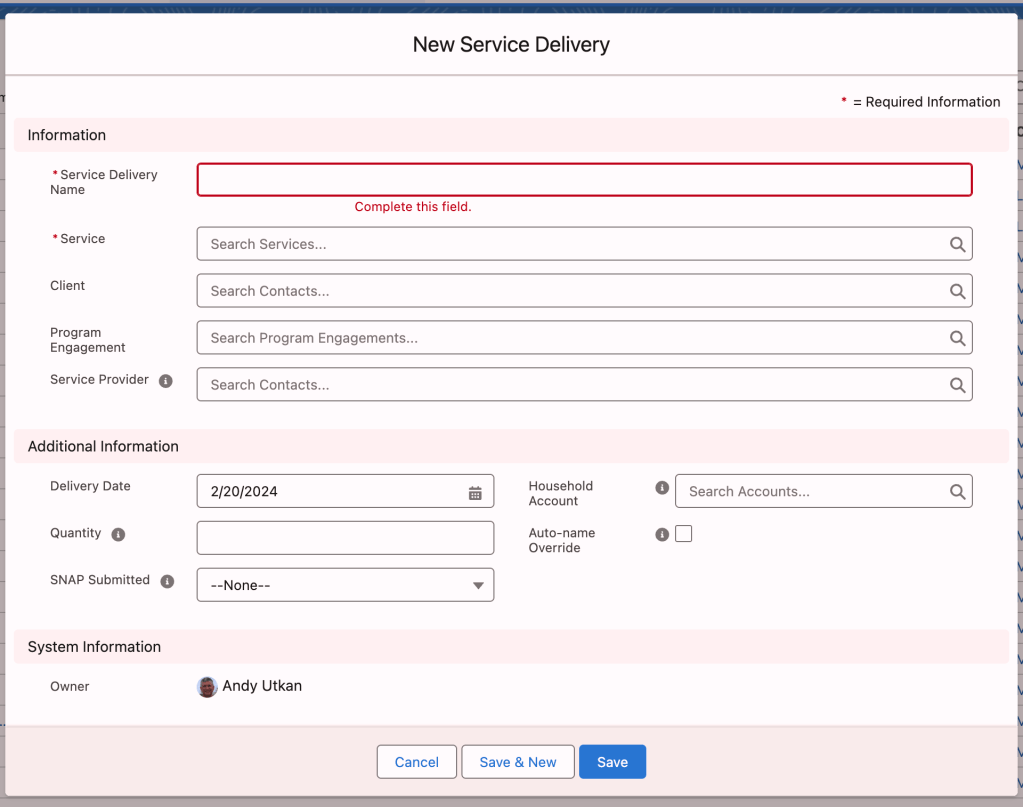
This object record would be created based on two records the nonprofit organization used in the past five years.
Support Record
Service Delivery Record
Autolaunched Flow (Subflow)
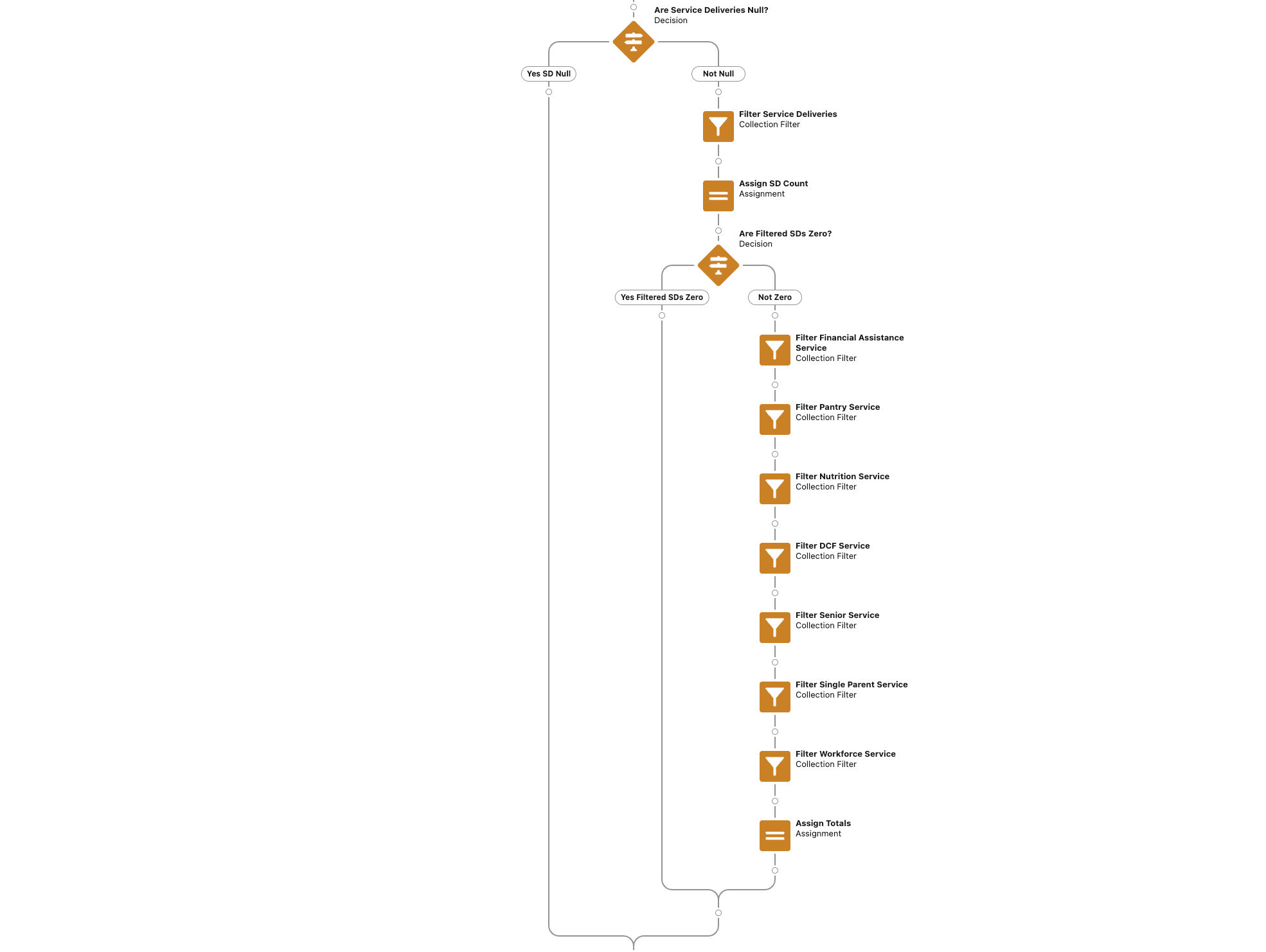
I optimized the flow several times to ensure that the extensive processing did not violate the governor limits, returning the Apex CPU error.
The final design was executed without errors, processing a full year’s data.
See the images below for the high-level flow build design.

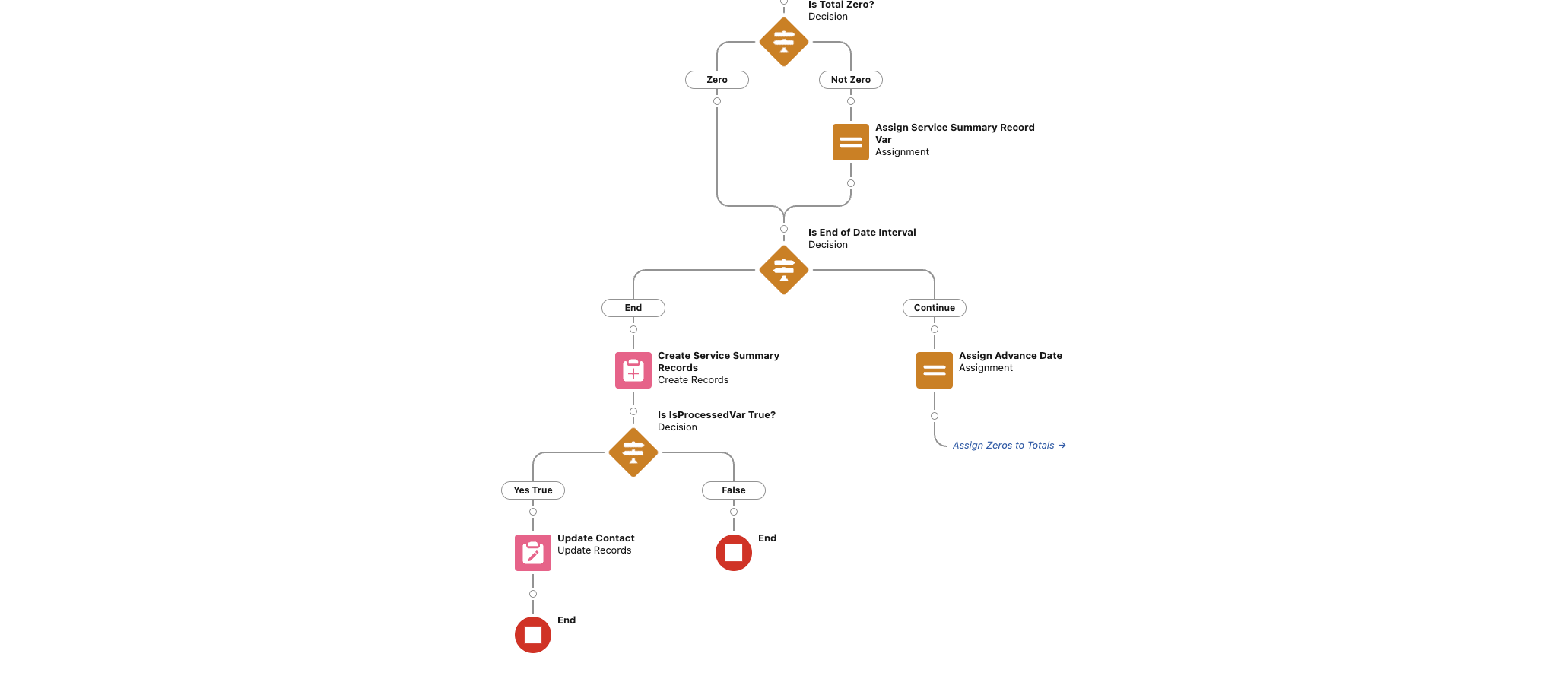
In addition to aggregating historical trends, the flow provided the functionality to update contact records as needed, ensuring audit capabilities. Therefore, I decided not to use this option so as not to burden the system resources further.
Schedule-Triggered Flow
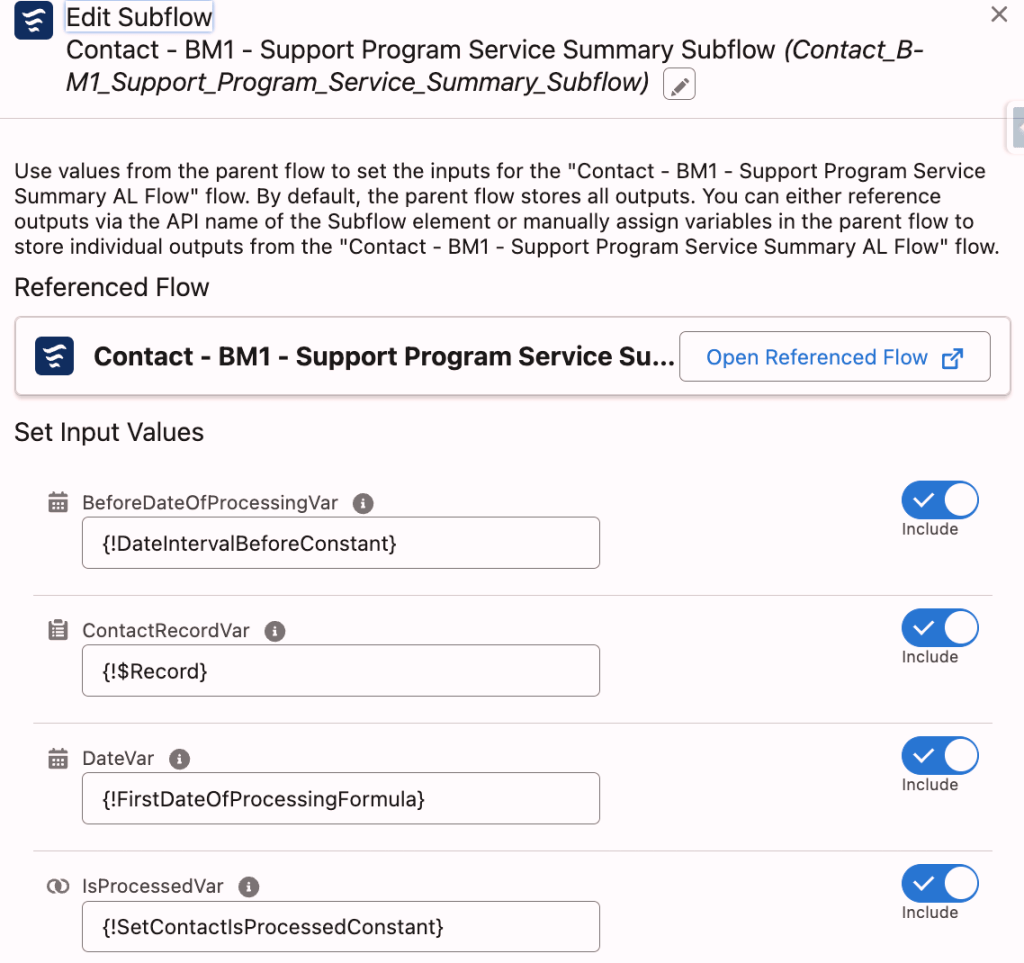
I set up a schedule-triggered flow that calls the autolaunched flow as a subflow to process the historical records. I executed and processed all the past data triggering the schedule-triggered flow manually. The schedule-triggered flow now runs on the first day of the month to process all records from the previous month.
Final Thoughts
By harnessing the capabilities of schedule-triggered and autolaunched flows within Salesforce, I successfully streamlined the process of generating operational KPI trends for my client. Consequently, this approach not only optimized workflow efficiency but also empowered the organization with actionable insights to drive informed decision-making.
In conclusion, combining schedule-triggered and autolaunched flows offers a strong method for data consolidation and insight gathering in Salesforce. Moreover, as data-driven decision-making becomes increasingly crucial, using automation tools like these flows is key to boosting efficiency and meeting strategic goals.
Finally, stay tuned for more insights and best practices in Salesforce automation as I continue to explore innovative solutions to common business challenges.
Explore related content:
Hidden Gem in Spring 23: Schedule-Triggered Flow Improvements
Scheduled Flows: Sometimes Later Is Better
Streamline Task Execution with Task and KPI Sequencing
Popular Validation Rules for Salesforce Flows including Phone, Email and Address Fields
Edited by Meredith Anglin.


@gatortail Wait, how is your mastodon username what looks like a website? I went to salesforcebreak.com and it doesn't look like a mastodon instance at all. I'm just curious. 🙂
Remote Reply
Original Comment URL
Your Profile
Why do I need to enter my profile?
This site is part of the ⁂ open social web, a network of interconnected social platforms (like Mastodon, Pixelfed, Friendica, and others). Unlike centralized social media, your account lives on a platform of your choice, and you can interact with people across different platforms.
By entering your profile, we can send you to your account where you can complete this action.
My personal Mastadon profile is here: https://fosstodon.org/@Engin . If your site in WordPress, you can also configure your site to broadcast on Mastadon. The Salesforce Break profile you see is for that. I set it up, but I have not done anything with it.