
Admin
-

Data Import Wizard vs. Data Loader: Which Tool Is Right for You?
The right tool depends on your specific needs, technical expertise, and project scale. The Data Import Wizard provides a frictionless starting point for small, simple tasks and beginners. Large migrations, advanced control, and full object support are where the Data Loader remains an indispensable workhorse. By carefully considering record counts, supported objects, data operations, transformation needs, and automation requirements, you…
Read More » -

See Everything at Once: A Guide to Joined Reports
Some business questions don't fit neatly into a single report. You might want to know which high-priority accounts also have open support cases. Or you might need a side-by-side view of your pipeline broken out by stage, owner, and close date, all at once. Standard summary or tabular reports can only take you so far. That's where joined reports come…
Read More » -

What SOA Taught Us About AI Agent Interoperability
Recently, I was having a conversation with a Salesforce data and AI architect I respect. The question of whether “MCP-to-MCP integration” is a relevant topic during AI platform selection came up. My perspective was: Yes, this is the right time to discuss it, and the timing matters. Architects need to understand whether their vendors are designing for the future, even…
Read More » -

How to Create, Customize, and Share List Views in Salesforce
List Views let you filter, sort, and display records exactly the way you need them without wading through pages of data that don't apply to you. They are a way for users to quickly filter down to the records most relevant to them without having to run a full report.
Read More » -

Salesforce Spring ’26 Is Dropping Unverified Emails
If your org sends email from Salesforce, a critical change is coming that could silently block messages from reaching your customers. Starting with Spring ’26, Salesforce requires all outbound email-sending domains to be verified before messages can leave your org. Unverified domains will be dropped. No bounce, no error for most automations, just silence. This change is also worth understanding…
Read More » -

Einstein Activity Capture: The Guide to Salesforce Email and Calendar Sync
Einstein Activity Capture is one of those features that feels “optional” until you realize how many downstream things depend on clean activity data: pipeline inspection, coaching, forecasting confidence, and now AI-driven guidance that needs real engagement context to avoid guessing. Set it up thoughtfully, make sure you are aligned with the newer Sync Email as Salesforce Activity direction, and treat…
Read More » -

Mastering Data Rollups in Nonprofit Cloud
The introduction of the Transform element in Flow Builder has significantly narrowed the gap between standard Flows and high-performance tools like the Data Processing Engine. For most Nonprofit Cloud and Industry users, Flow provides the perfect balance of ease of use and computational power. By centralizing your logic in a subflow, you create a "single source of truth" for your…
Read More » -

New Trailhead Badge: Accessible Salesforce Customizations
This new Trailhead badge makes accessibility feel less like a theory lesson and more like a set of everyday admin decisions. Small structural changes to layouts, headings, flows, and messaging can dramatically improve how people move through an org. The biggest takeaway: accessibility is not a final polish step. It’s part of building a Salesforce environment that actually works for…
Read More » -

Einstein Conversation Insights Gets Smarter in Spring ’26
One of the most impactful architectural changes is that Einstein Conversation Insights data is now stored directly on the Salesforce platform for new customers. Existing customers will begin migrating to this model starting in Summer ’26.
Read More » -
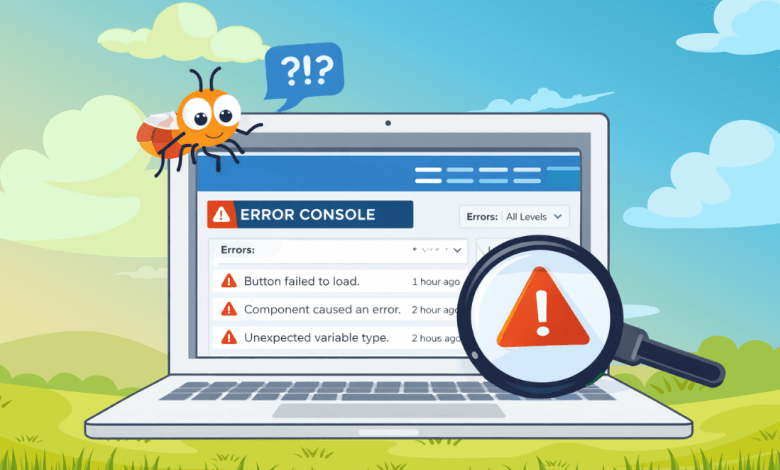
Identify and Manage Page Errors with the New Error Console in Spring ’26
If you’ve spent time administering or building in Salesforce, you know this reality well: not all errors are dramatic. Some errors don’t crash the page, throw a red banner, or get reported. They just quietly break things. A button doesn’t work the way it should. A component fails to load correctly. A user gets a weird experience but keeps moving.…
Read More »