
Salesforce Timezone Offset: A Native Flow Alternative to Apex

Every system time field in Salesforce is stored in GMT. That part is simple. What complicates things is everything layered on top of it.

An org has its own timezone setting. A user can have a different timezone than the org. Salesforce uses both settings to decide how timestamps display on records and transactions. Installed packages carry their own time settings too. Field Service Lightning is a common example.

Daylight Saving Time adds another layer. And the problem grows when an external user is involved, like a guest visiting a community page. Salesforce has no built-in way to detect a guest user’s timezone, so the flow builder has to solve the conversion manually.
How to Solve the Salesforce Time Zone Problem with Apex
We ran into this problem while building a screen flow for a nonprofit client’s community page. While working on a data table flow component, we came across an invocable Apex action that returns the start of the day, midnight, for a given date in the running user’s timezone.
That single value was the missing piece. Comparing that local midnight to midnight in GMT, then multiplying the difference by 24, gives the exact hour offset between a user’s timezone and GMT, Daylight Saving Time included. Eric Smith wrote up the method in detail here.

The approach works well. The tradeoff is the dependency: it requires an Apex Action, which means deploying and maintaining a piece of Apex alongside the flow.
A Native Flow Alternative for Admins
Yossi Altein‘s version calculates the same offset without any Apex.
The flow takes a Date input. A formula builds a GMT datetime value at midnight for that date. A Text Template then renders that datetime as text, and because Salesforce formats displayed text in the running user’s timezone, the rendered string shows the local date and time instead of the GMT value.
A set of formulas parses that rendered string back into its parts: month, day, year, and hour, including AM/PM. Those parsed values get reassembled into a second datetime value. Subtracting the true GMT datetime from that reconstructed value, then multiplying by 24, produces the offset in hours. The flow assigns that number to an output variable and returns it.
No Apex Action, no external dependency. Just formulas and a Text Template doing the timezone conversion Salesforce doesn’t hand you natively. Plenty of admins want to use unofficial Salesforce tools, but their org won’t allow third-party Apex. Yossi’s formula-only version solves that. The current version now supports fractional-hour zones, so timezones like India and Nepal are covered as well.
Apex vs. Native: Which Should Teams Use?
Yossi framed the choice this way: “Do you want something that is easy to get approved, no special permissions needed, and native to Salesforce and won’t break with future releases? Or do you want Apex, which is more efficient but otherwise maintenance heavy?”
You can use the tool daily to mark time. Build a flow that lists time entries and sets the datetime on the record based on the correct timezone. You can also pair it with the new time picker component in Flow: let the user select a time, then set it on the record as a datetime using a formula built on the offset.
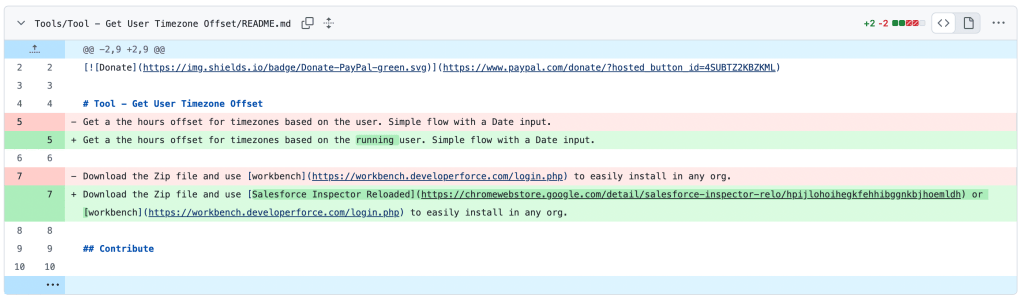
Download the zip file from the GitHub repo here. Use Workbench or Inspector Reloaded to deploy it into any org.
Credit to Eric Smith for the Apex-based method that started this conversation, and to Yossi for building a native alternative.
Explore related content:
Time Zone and Time Operations in Flow
Get Ready for the New Time Data Type – Summer ‘25 Flow Goodness


Yossi is a Flow wizard, seriously…